The "Impossible" Slice: how Bambu Lab H3C made mixed nozzles work on different layer heights
Thick and thin in one go. The first commercially available 3D printer to give every region of your print its own vertical resolution

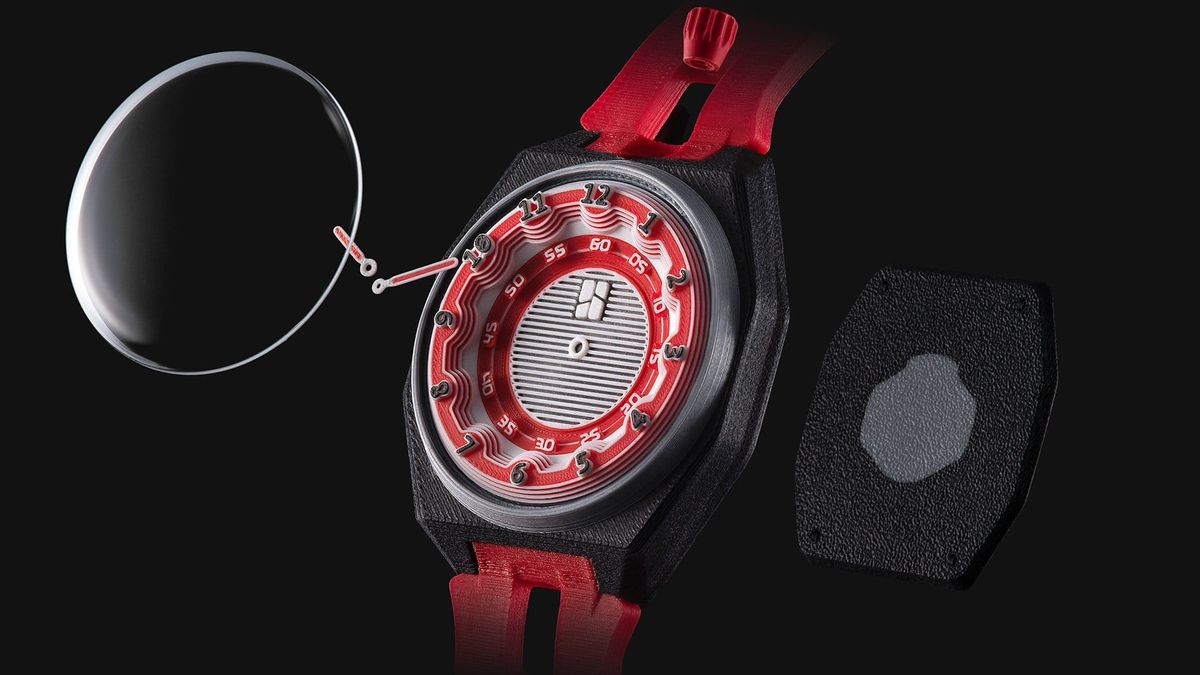
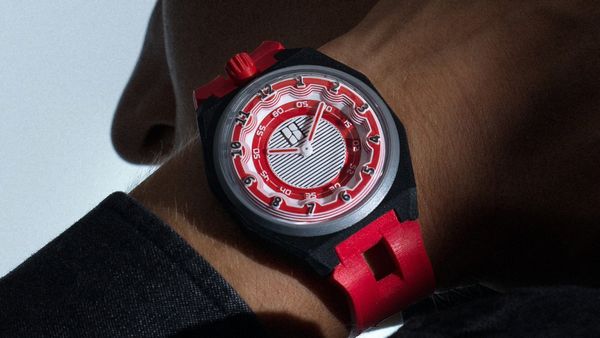
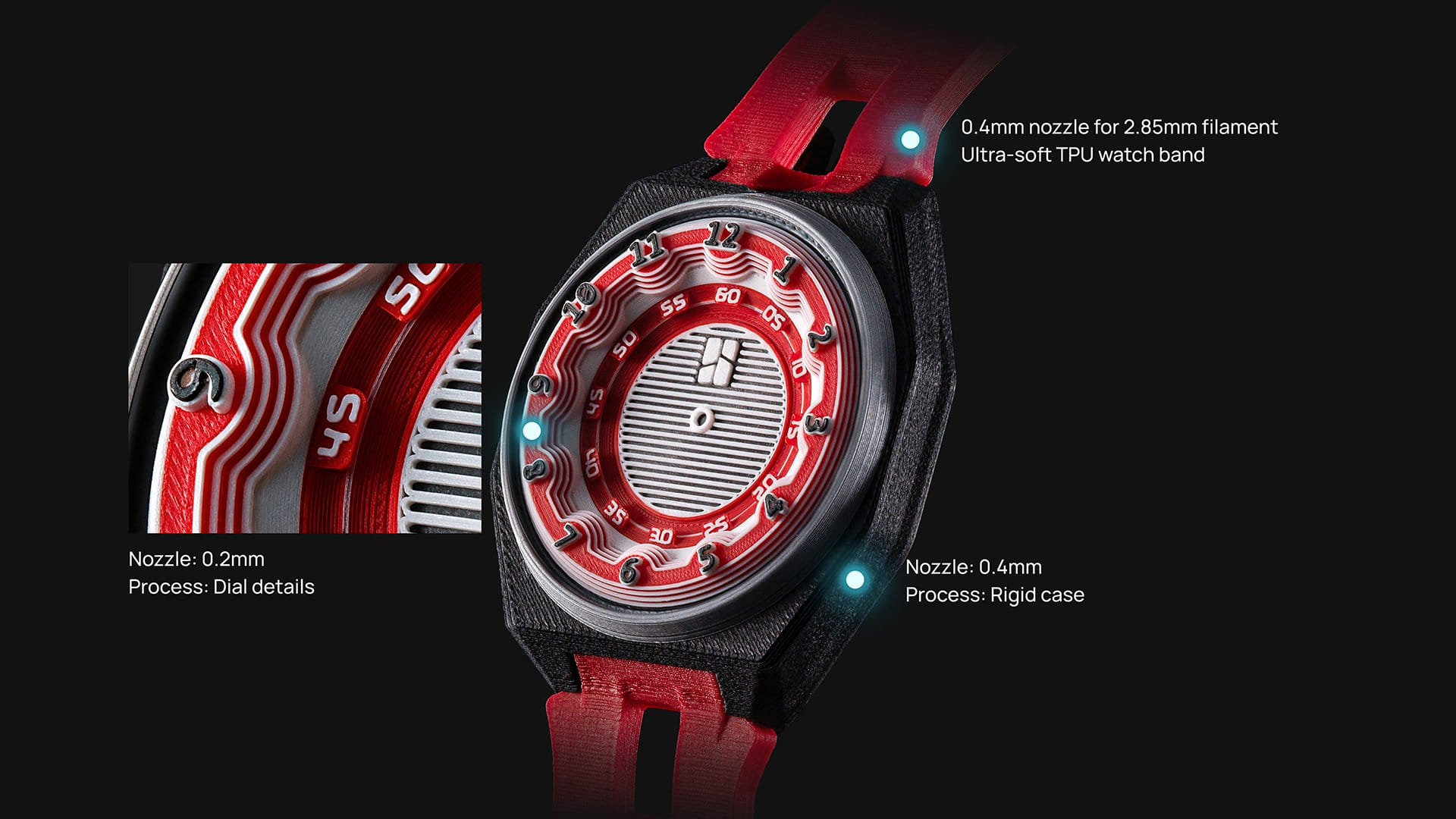
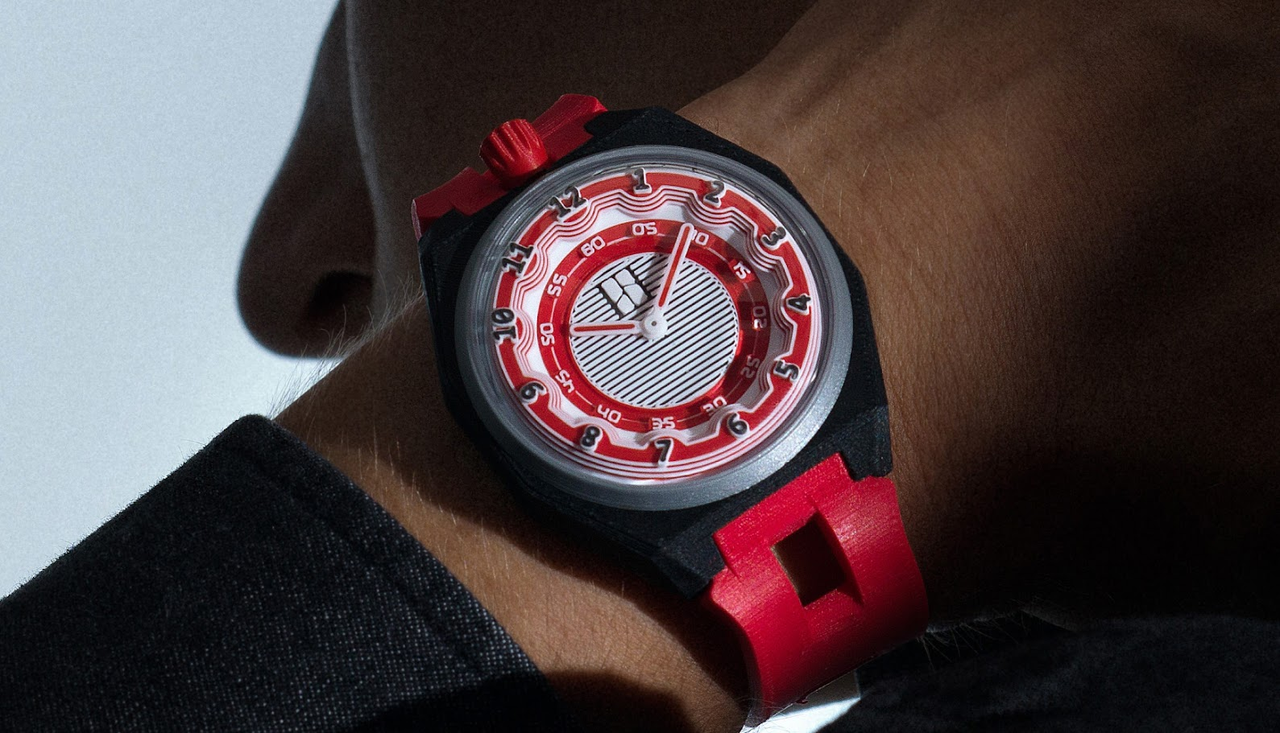
Imagine printing a Maker Watch. The watch face has tiny, microscopic numbers and tick marks; the larger case right next to it has broad, chunky surfaces.
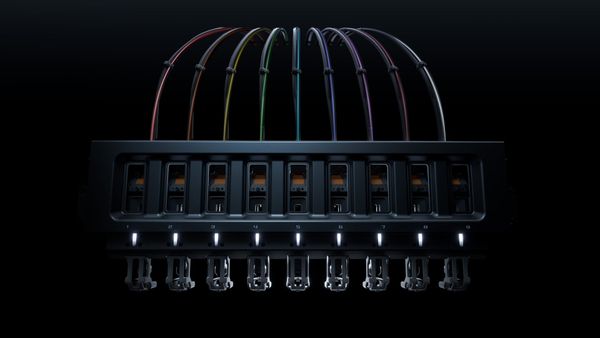
Naturally, you’d want a 0.2 mm nozzle to draw those razor-sharp lines on the face and a 0.4 mm nozzle to power through the case.
That sounds straightforward, until you ask a deceptively hard question:
When mixing different nozzle sizes, which one gets to dictate the layer height?
Most slicing software today can change layer heights as the print moves upward, but adjacent regions sitting side by side generally follow the exact same layer schedule. This forces you into a compromise:
- if the massive watch case has to follow the watch face’s ultra-thin layers, you're printing far more layers than you need, wasting hours
- if the face is forced to follow the case’s thicker layers, your beautiful details lose their vertical sharpness and look blocky.
Swapping nozzles alone only solves the line-width problem across the X and Y axes. It leaves the layer-height dilemma on the Z axis untouched.
That question has quietly bottlenecked mixed-nozzle printing for years.
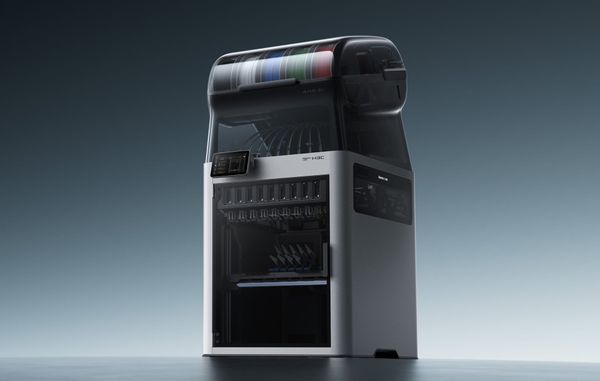
To our knowledge, Bambu Lab H3C is the first commercially available 3D printer that natively lets different nozzle sizes print different layer heights on the same surface.
A finer line is not a smaller step upward
To understand why this is such a challenge, we need to separate horizontal detail from vertical smoothness.
Think of a print as a brick wall. Nozzle diameter controls how wide each brick is. That's what gives you crisp details on the face of the floor, in X and Y axes.
Layer height is something else entirely: it's how tall each brick is, the size of every step the printer takes climbing the Z axis.
To a printer, every slope is a staircase: thinner layers look better on slopes and reliefs. This is why thinner layers make organic curves and reliefs look flawless.
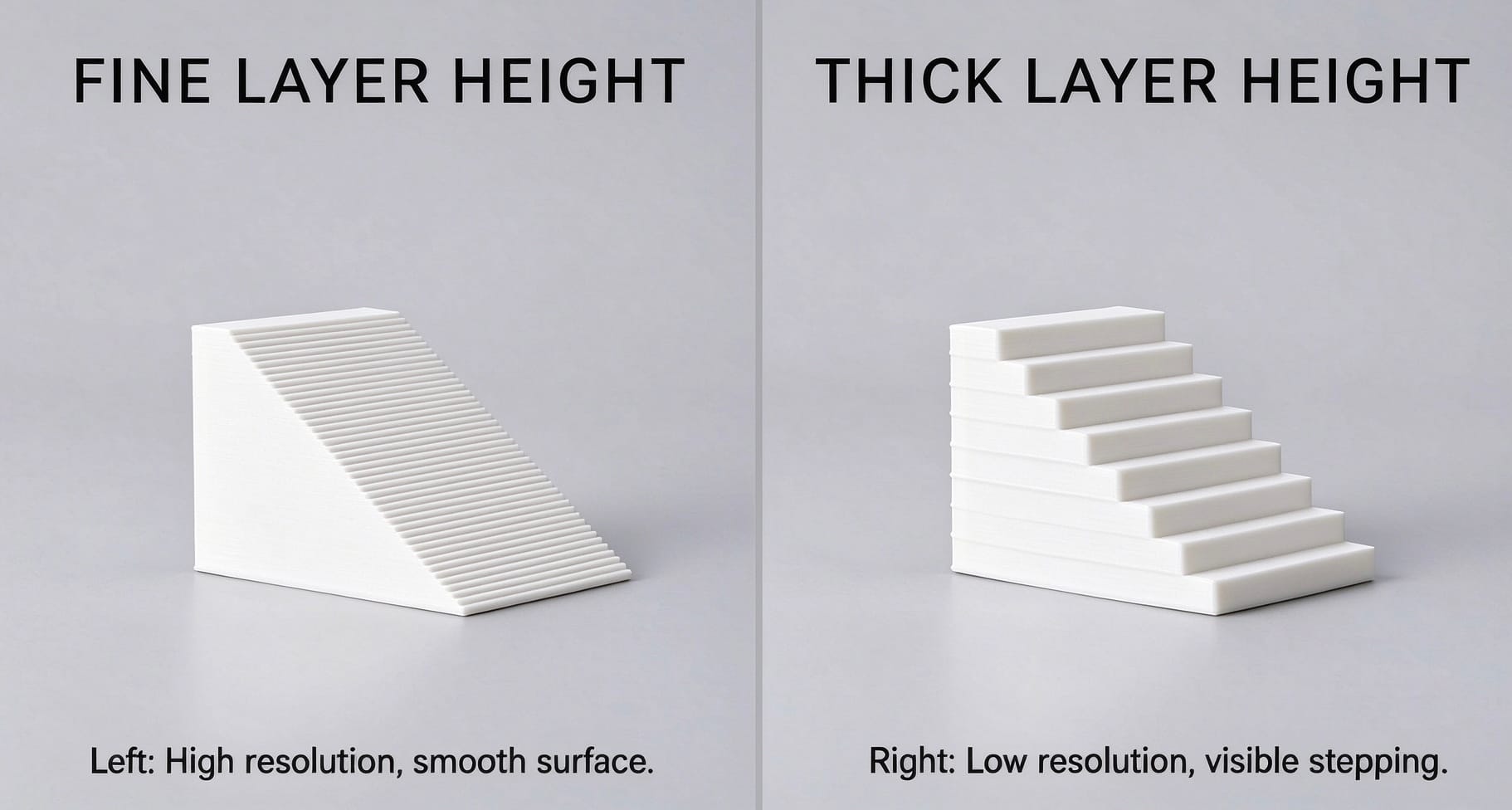
The catch? Shorter steps mean you need a lot more of them, which extracts a massive penalty in building time.
So we're stuck between two bad options: thick layers everywhere, fast but blocky, or thin layers everywhere, gorgeous but time-consuming.
The obvious escape is to mix them: a fine nozzle with thin layers where details matter, and a large nozzle with thick layers where they don’t.
But how close has slicing technology actually come to achieving this?
Three scenarios for Layer Height Variation
To see where the industry stands, it helps to look at how slicers traditionally manage Z-axis variation. Think of a print as a brick wall, where layer height equals the thickness of the bricks:
- Between objects. Two completely separate walls on the same build plate. Each uses its own brick size. Since they never touch, they never need to align.
- Within an object. A single wall that uses taller, hidden bricks inside for infill, while the visible outer facade uses a single, uniform brick size from end to end.
- Across adjacent surface regions. The visible facade itself changes brick sizes mid-wall. This is exactly our Maker Watch scenario - thin bricks for the intricate dial, thick bricks for the rugged case, seamlessly interlocking into a single piece.
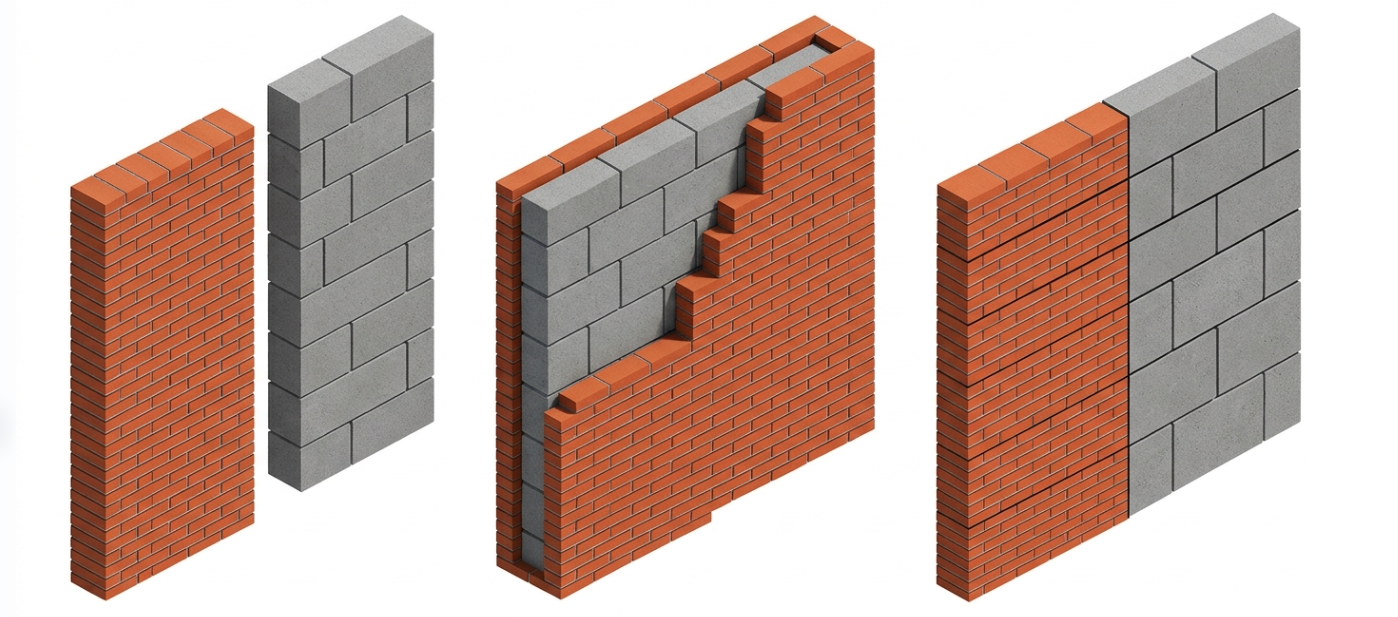
The first two are manageable because the visible face never mixes brick sizes.
The third one does, and that's where it gets hard. And Bambu Lab H3C took on that exact challenge.
Our art of bricklaying
Pulling this off requires the slicing engine to act like a master builder orchestrating different brick sizes on a single, shared wall.
Picture this: On the same surface, the left side needs to be intricate, so you use thin bricks, while the right side is a plain structural wall using thick bricks that are exactly three times as tall. A smart builder lays three rows of thin bricks on the left, and then lays one single thick brick on the right. Both sides meet perfectly at the exact same height, level and ready for the next section.
This is precisely how the Bambu Lab H3C slicing engine operates. Instead of forcing a rigid global height, it organizes the print into dynamic "layer bands." Within a single band, the fine nozzle rapidly deposits multiple thin layers. At the boundary of the band, the larger nozzle steps in to lay down its single thick layer, bringing both regions to a perfect "handshake" before climbing higher.
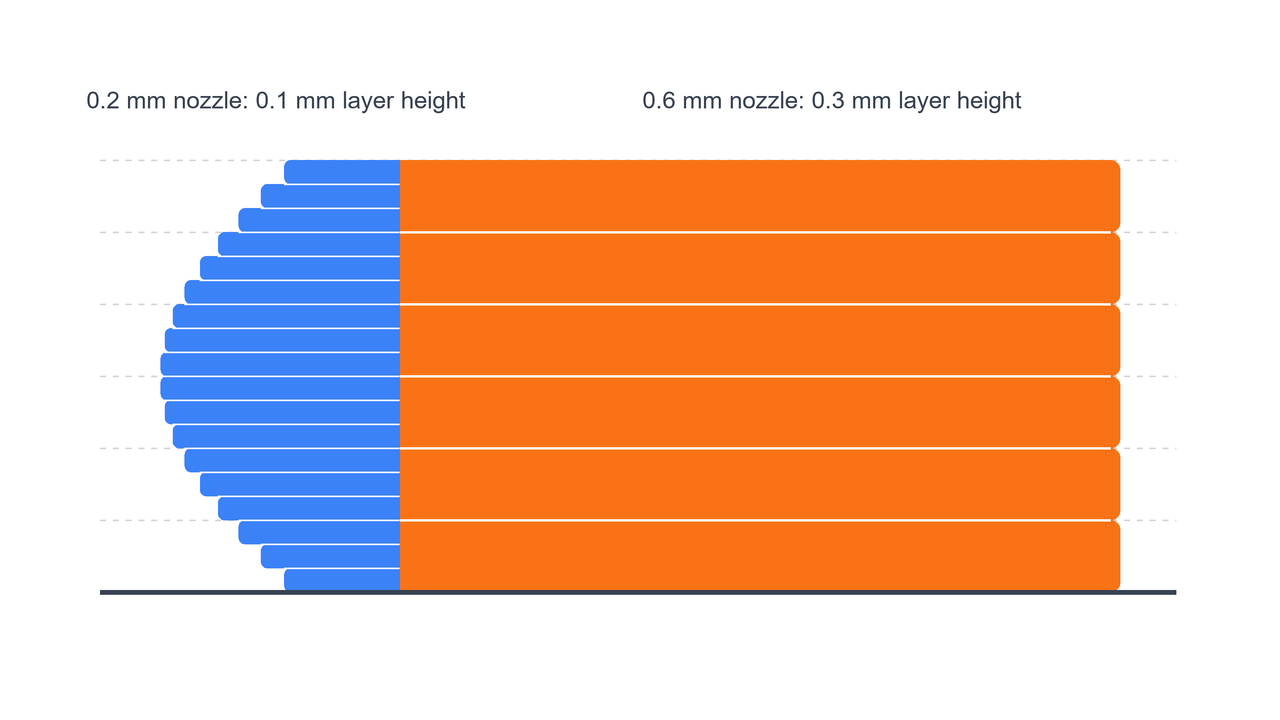
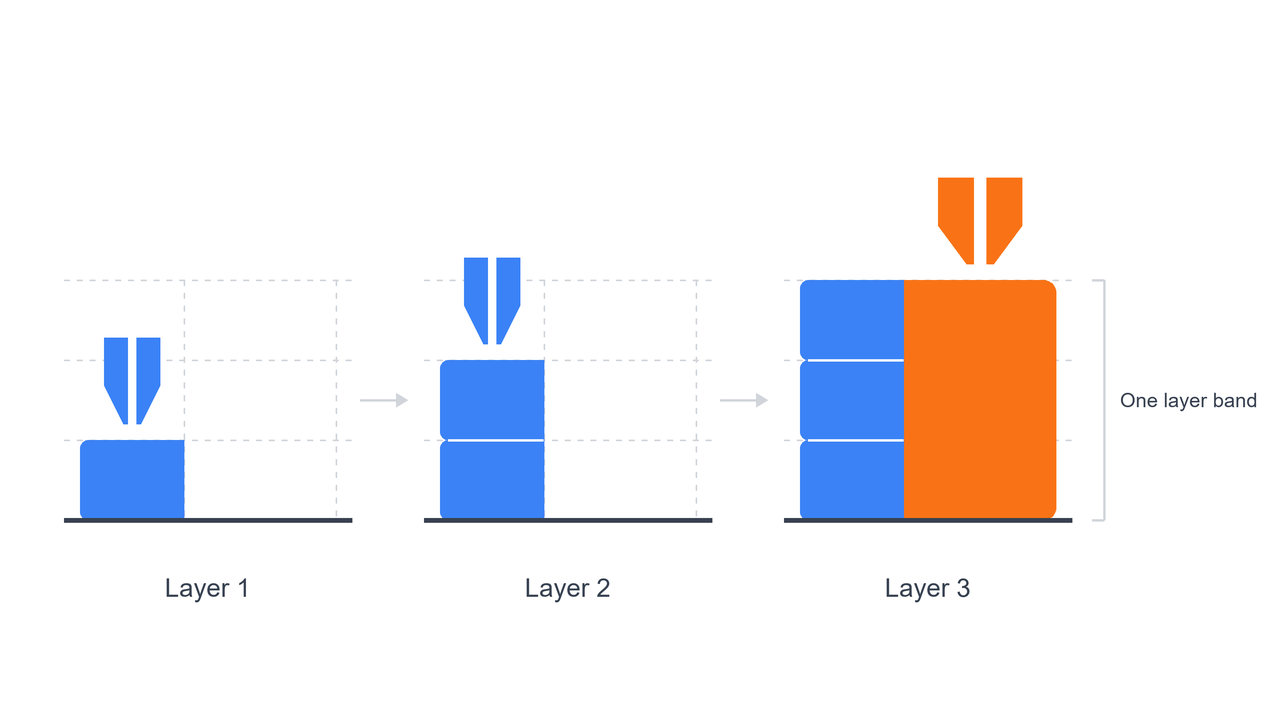
While the theory is elegant, executing it in real-time 3D printing could introduce massive mechanical chaos:
- where exactly should the two regions meet?
- within each band, which nozzle goes first, and how do you switch tools as few times as possible?
- most critically, while one side temporarily stands taller than the other, how does the nozzle travel across the model without scraping what is already printed?
We meticulously tuned the algorithm to handle this mathematical complexity in the background so you never have to think about it.
The old way: split by hand (but at what cost?)
You could technically mimic similar result by manually chopping your model into separate geometric models in the slicer, assigning each its own nozzle and layer height.
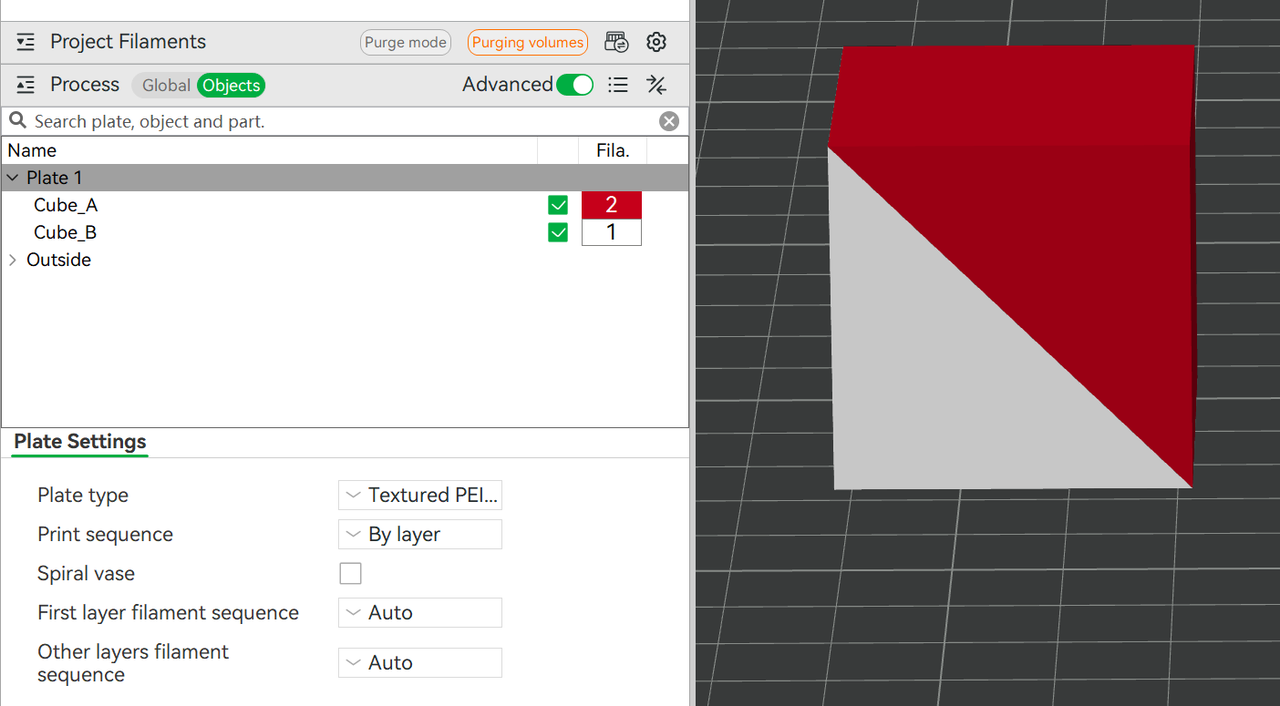
But let's be honest: with complex curves, interlocking materials, or painted details, manual splitting is a headache for most people.
Bambu Lab H3C makes this kind of result far more repeatable. You decide which regions get the fine nozzle and which get the large one. The slicer takes care of the rest: aligning the layers, scheduling tool changes, and planning the paths.
This native approach makes a world of difference during design revisions. In the manual world, if you tweak a curve, scale a numeral, or expand a detailed zone, your manual split shatters, forcing you to start over from scratch. With Bambu Lab H3C’s native solution, you modify the shape, hit "Slice," and the software adapts to the new geometry.
What is left for you to do?
Choose the region, hit "Slice"
Because the software does the heavy lifting, your workflow is much simpler.
In Bambu Studio’s mixed-nozzle mode, you can paint a region with a painting tool, or use a simple modifier box. You choose where the nozzles go, and the software handles math. The scheduling, tool-changing, and path planning are calculated automatically every time you hit Slice, leaving you free to focus on what you're creating rather than how it's built.
You can check the workflow in Bambu Lab H3C Mixed Nozzle Size Printing Guide.

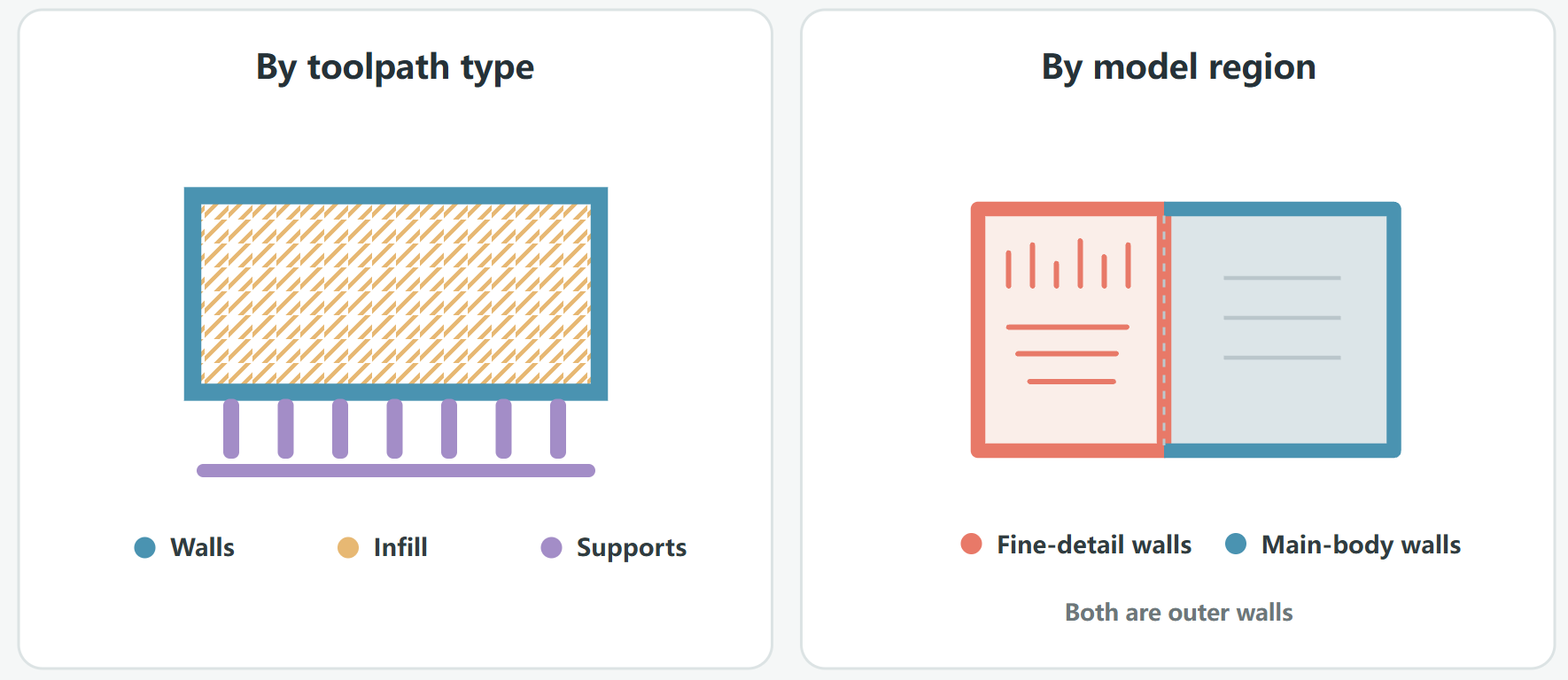
Mixed-nozzle printing is especially powerful for models with a large body and small, localized details.
Remember the Maker Watch question we opened with - which nozzle gets to dictate the layer height?
Now the answer is: both. The 0.4 mm nozzle powers through the chunky case with thick layers. The 0.2 mm nozzle steps in only on the dial with thin layers, keeping every microscopic numeral razor-sharp.
No compromise. No wasted time.
Rethinking and rewriting the laws of vertical resolution is a technical challenge, but it is also incredibly rewarding. While Bambu Lab H3C is leading the charge, we aren't leaving the rest of our community behind.
Native mixed-nozzle support for the H2D, H2C, and X2D is already actively in development.
 Bambu Lab